Chat
Each tournament has a chat for all the players and hosts. Use it to talk with the group during the trip.
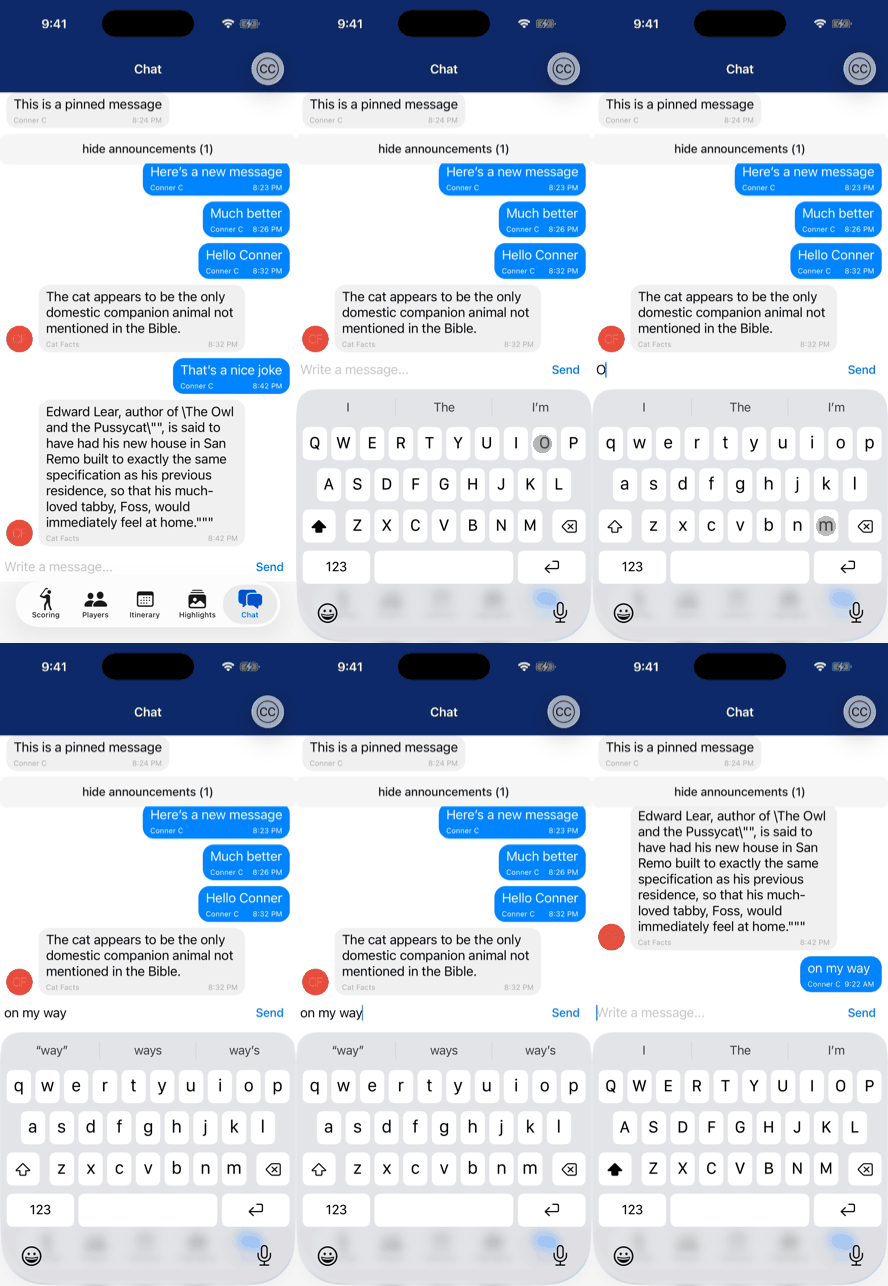
Send a message
- In the tournament, open the Chat tab.
- Tap Write a message... and write your message.
- Tap Send.
All the players get a notification with your message. Your messages show on the right, and the messages of other players show on the left with their names.
note
You cannot edit or delete a message after you send it.
Announcements
Your host can send announcements. Announcements show at the top of the chat, above the messages.
To hide the announcements, tap hide announcements below them. To see them again, tap show announcements.
New messages
When there are new messages, the Chat tab shows a dot. The dot goes away when you open the tab.
tip
To get a notification for each message, turn on notifications for Two Up in the settings of your phone.