Join a Tournament
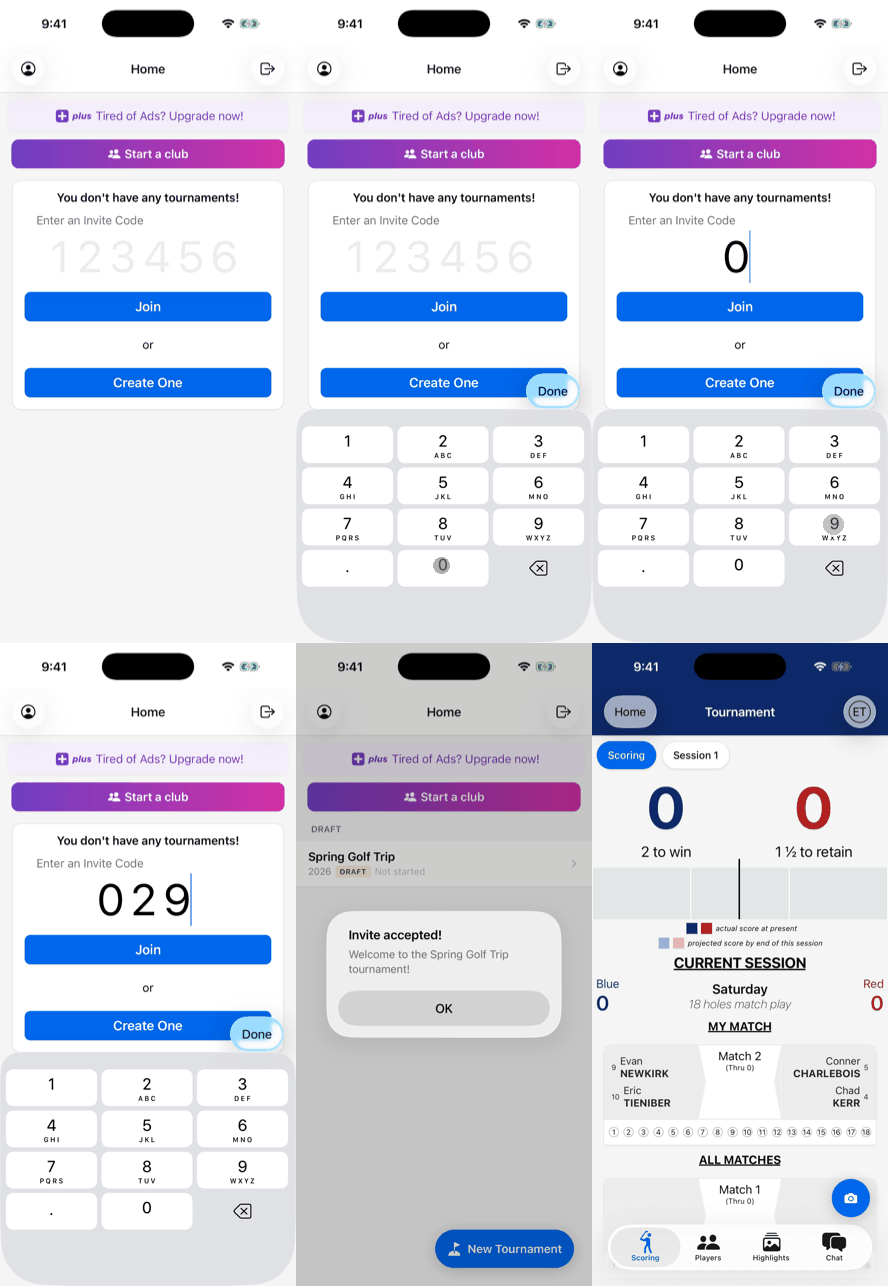
Your host gives you a 6-digit invite code. Use the code to join the tournament.
tip
If you already have tournaments, the home screen does not show Enter an Invite Code. Tap the New Tournament button (
- Open Two Up and sign in. You can also tap Continue without account.
- On the home screen, enter the code in Enter an Invite Code.
- Tap Join.
- Two Up shows Invite accepted!. Tap OK.
The tournament shows on your home screen.
tip
Your host can also send you a link with the code in it, or show you the QR code of your invite. Tap the link, or scan the QR code with the camera on your phone.
caution
Each invite code works one time only, and only for your player in the tournament. Do not share your code. If you need a new code, ask your host.