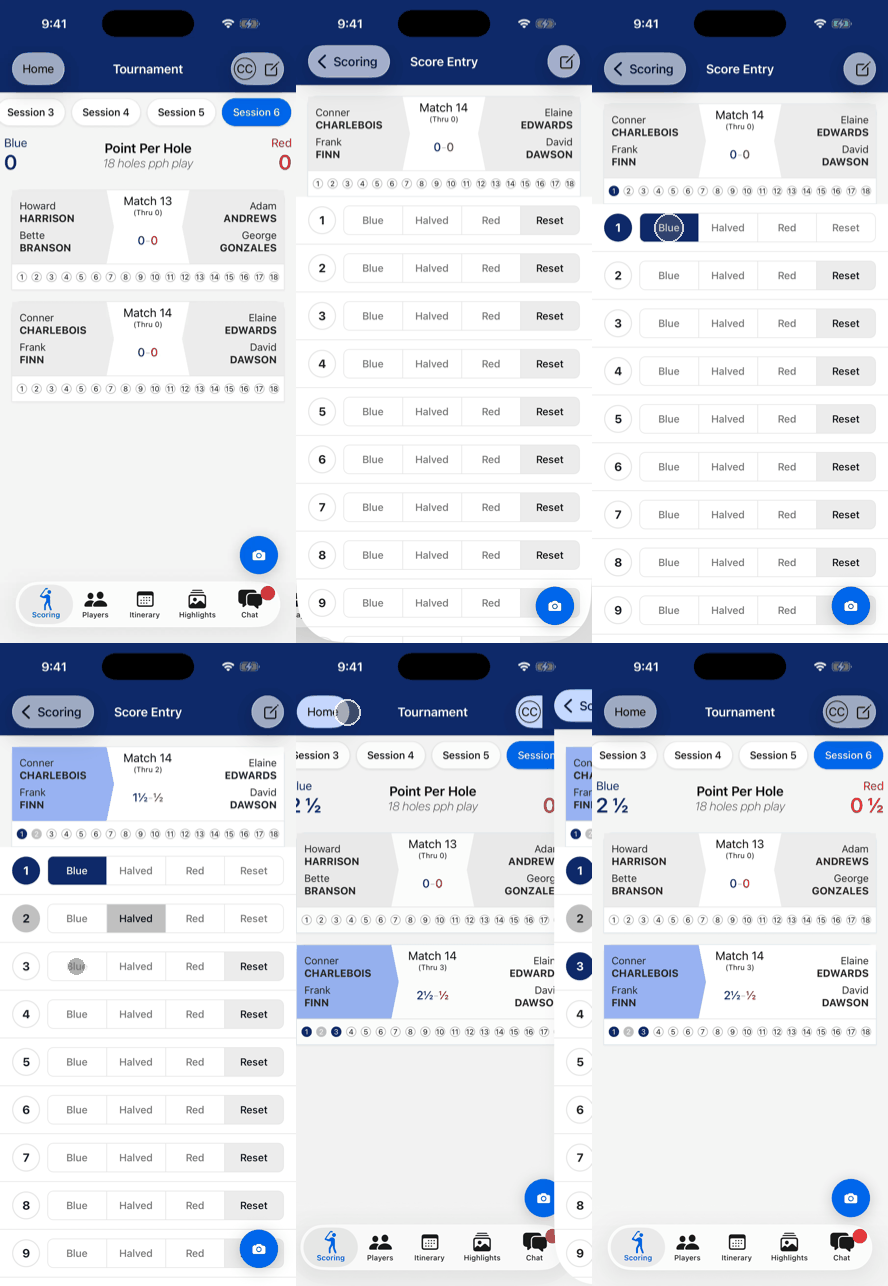
Enter Scores
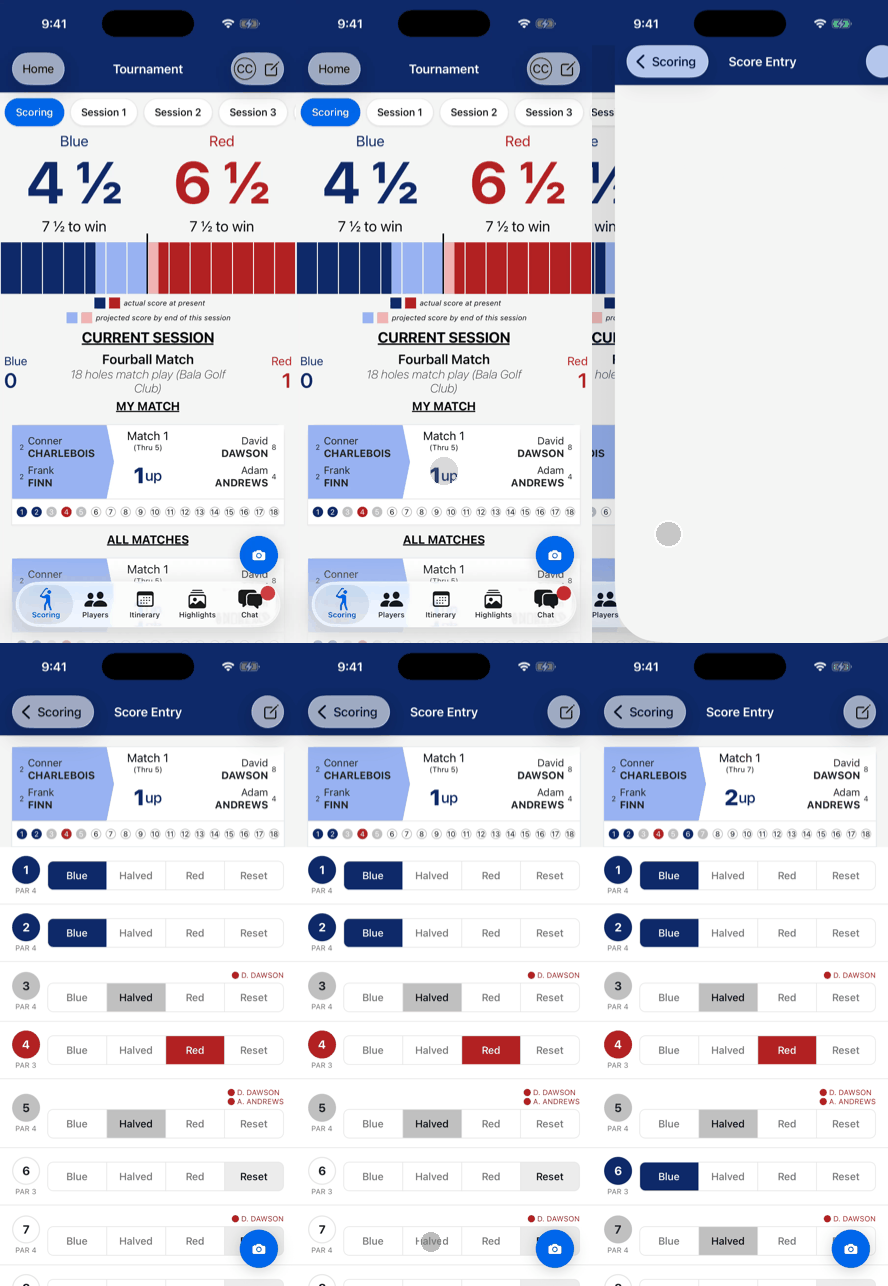
Match play
In match play, the player or team that wins a hole gets one point. The player or team with the most points at the end of the match wins.
- On the Scoring tab, tap your match in My Match.
- On each hole, tap the result: Blue, Halved, or Red.
Use the net score of each player when you select the result. To remove a result, tap Reset.
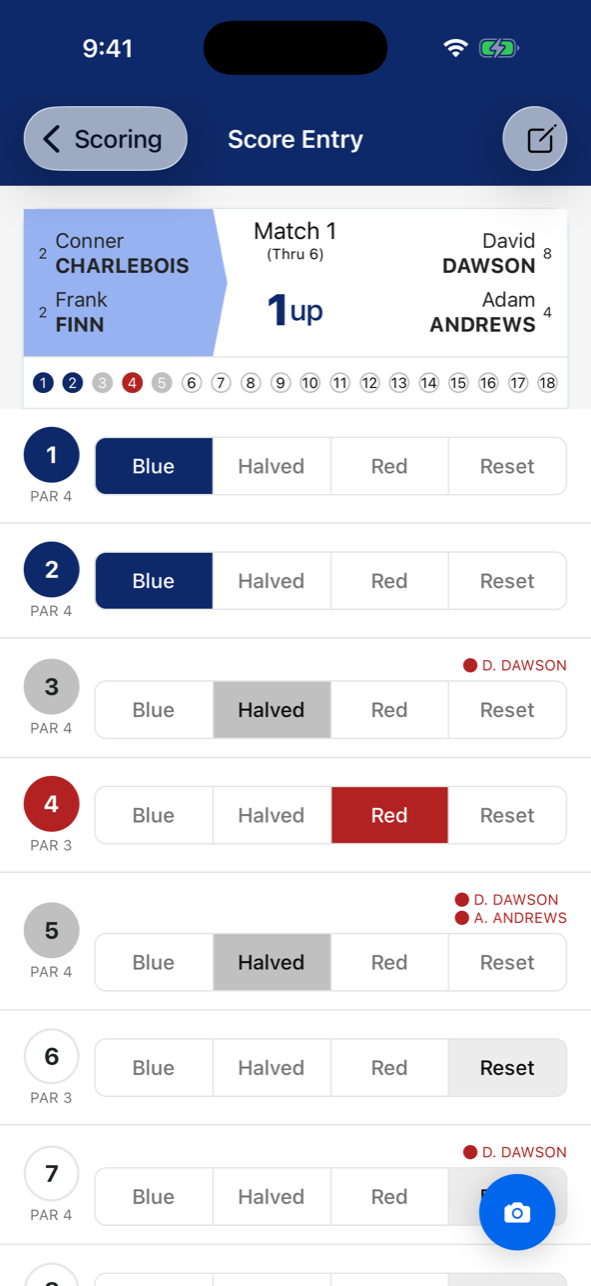
Strokes
If your session uses handicaps, the strokes show next to the hole on the score entry screen. Each dot (
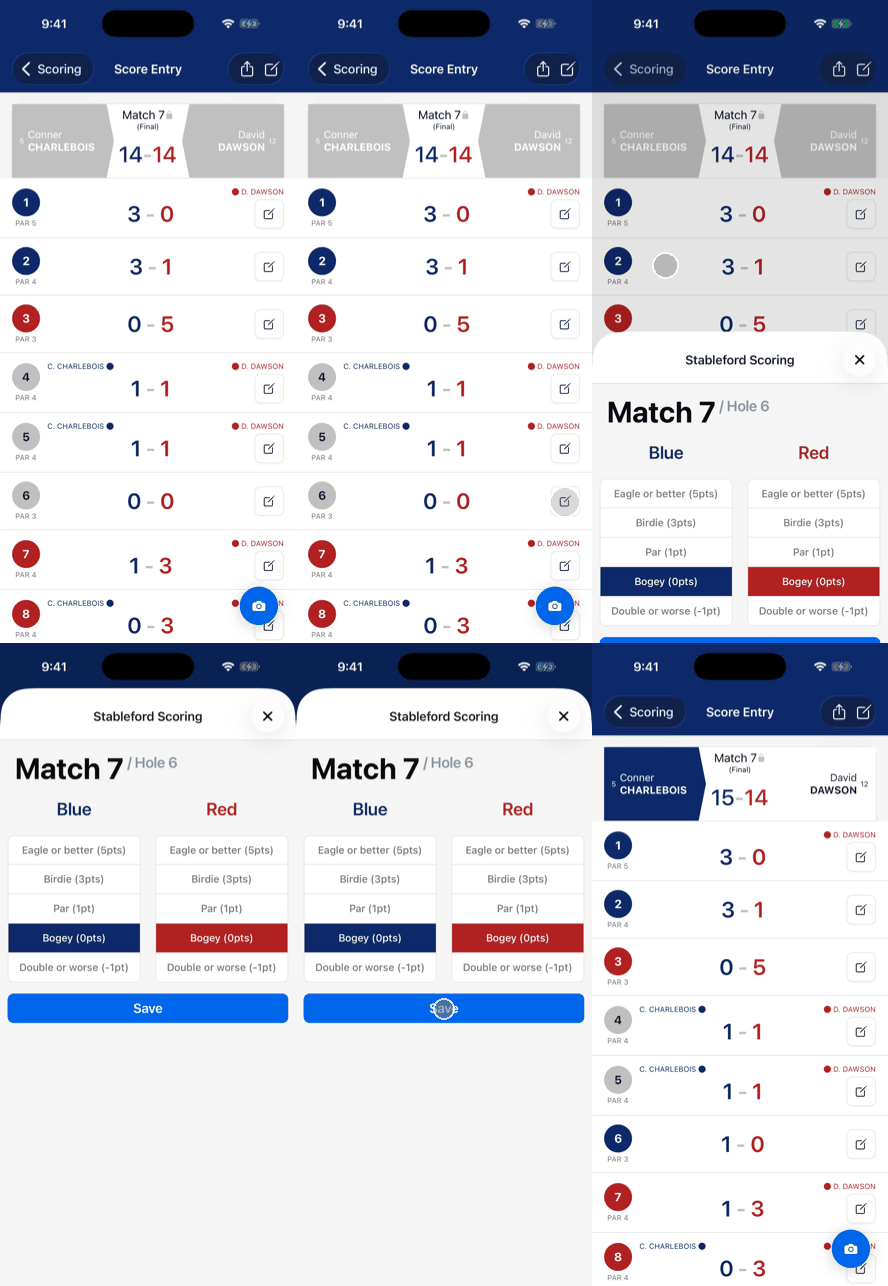
Stableford
In Stableford, players get points from their net score on each hole. The player or team with the most points at the end of the match wins.
- On the Scoring tab, tap your match.
- Tap the edit button next to the hole.
- For each team, tap the net score, for example Par (1pt).
- Tap Save.
Strokes
If your Stableford session uses handicaps, the strokes show next to the hole on the score entry screen. Use the strokes to find the net score, and always enter the net score.
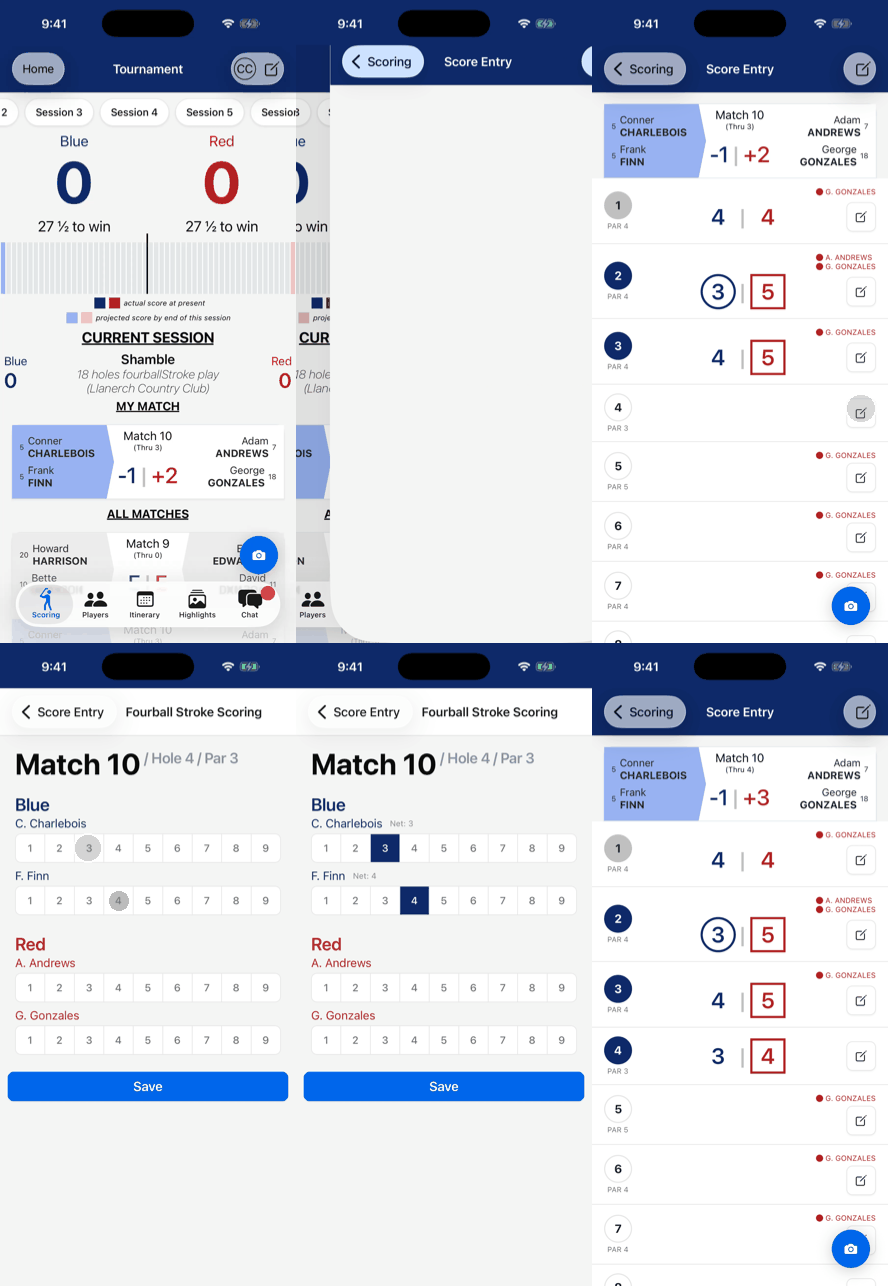
Fourball Stroke
In Fourball Stroke, each team uses the best net score of its players on each hole. The team with the lowest total, compared to par, wins.
- On the Scoring tab, tap your match.
- Tap the edit button next to the hole.
- For each player, tap the gross score (the real number of strokes).
- Tap Save.
Two Up subtracts the strokes of each player and uses the best net score of each team. The match shows each team's score compared to par, for example +1.
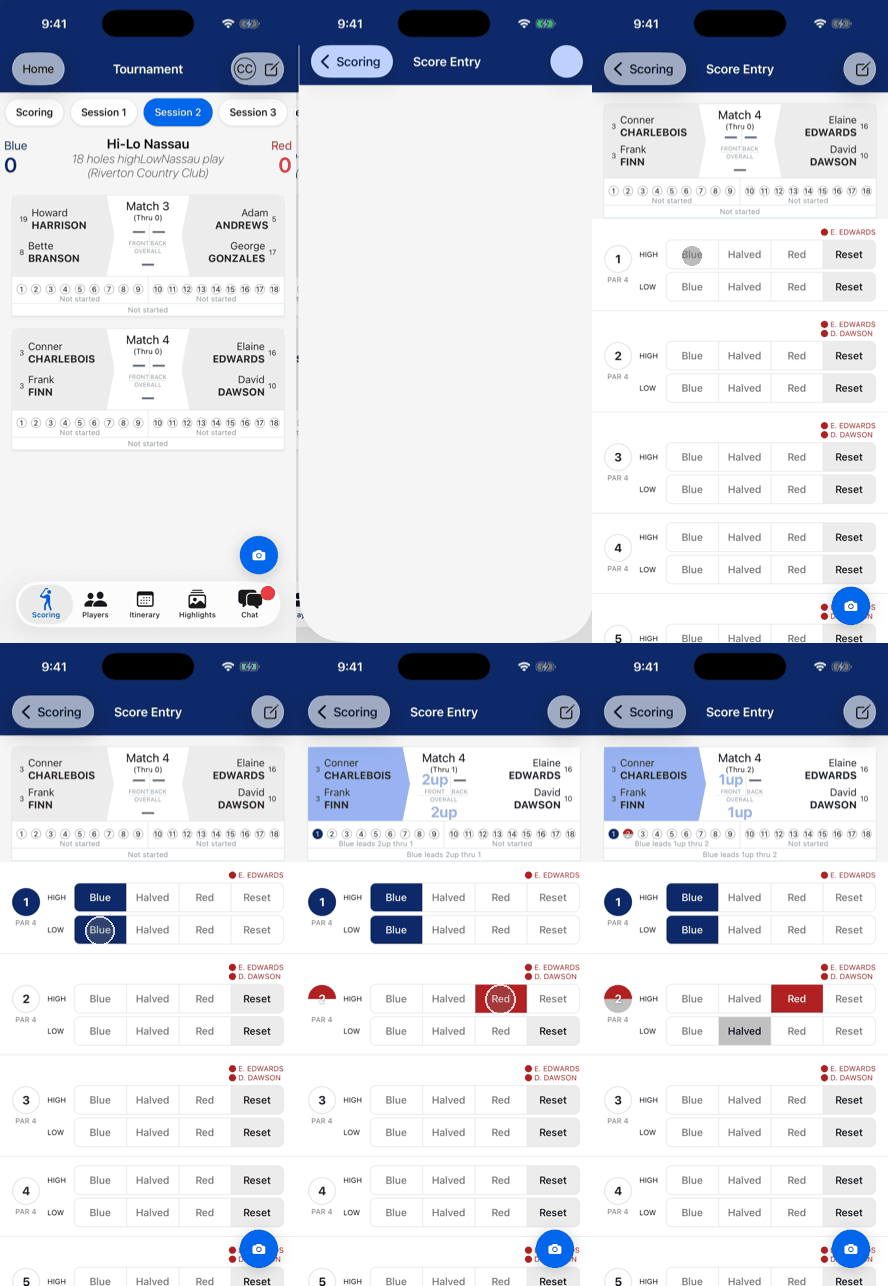
Nassau
A Nassau match has 3 parts: the front 9, the back 9, and the overall 18 holes. Each part is a separate result.
Enter the scores the same way as in match play: on each hole, tap Blue, Halved, or Red.
Your host selects how many points each part is worth: 1-1-1, or 1-1-2 (the overall result is worth 2 points).
High-Low Nassau and Stableford Nassau also have 3 parts. Enter the scores the same way as in High-Low and Stableford.
The match shows the result of each part: Front, Back, and Overall. The example below is a High-Low Nassau match.
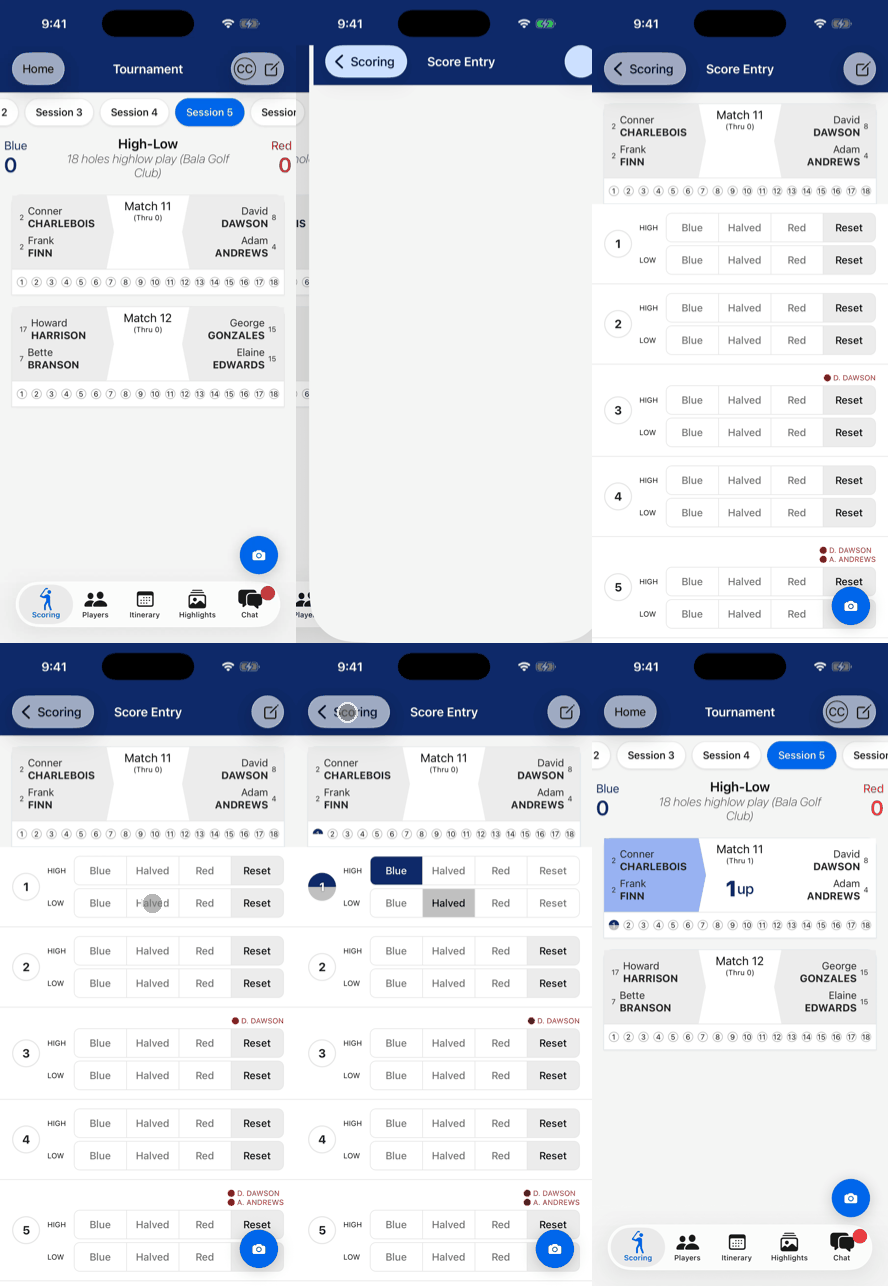
High-Low
In High-Low, each hole has 2 results:
- HIGH: compare the higher (worse) net score of each team.
- LOW: compare the lower (better) net score of each team.
- On the Scoring tab, tap your match.
- On each hole, tap the HIGH result: Blue, Halved, or Red.
- Tap the LOW result: Blue, Halved, or Red.
Your host selects the scoring mode:
- Traditional: the team that wins more of the 2 results gets 1 point for the hole.
- Modern: each result is worth 1 point, so a team can get 2 points on one hole.
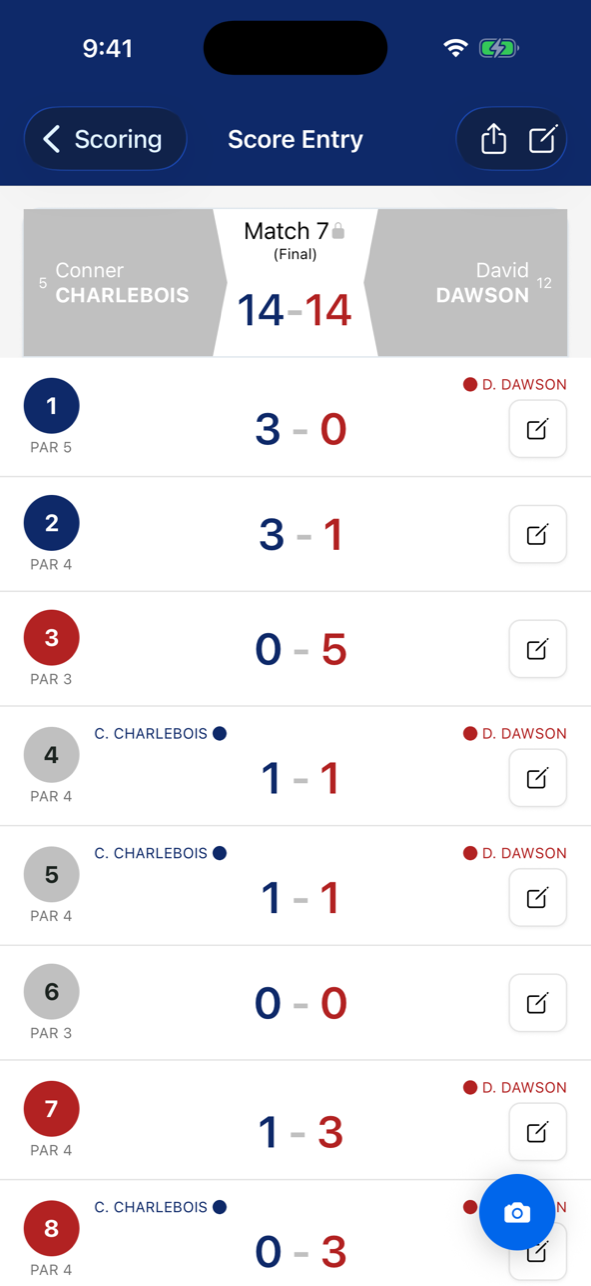
Point Per Hole (PPH)
In Point Per Hole, each hole is worth 1 point. A halved hole gives ½ point to each team. The match always continues to the last hole, and the points show live on the scoring tab.
Enter the scores the same way as in match play: on each hole, tap Blue, Halved, or Red.
At the end of the match, the team with more points also gets the bonus points that your host set for the session.