Add Courses
Courses are optional. When a session has a course, Two Up can calculate the handicap strokes and show them as dots on the score entry screens.
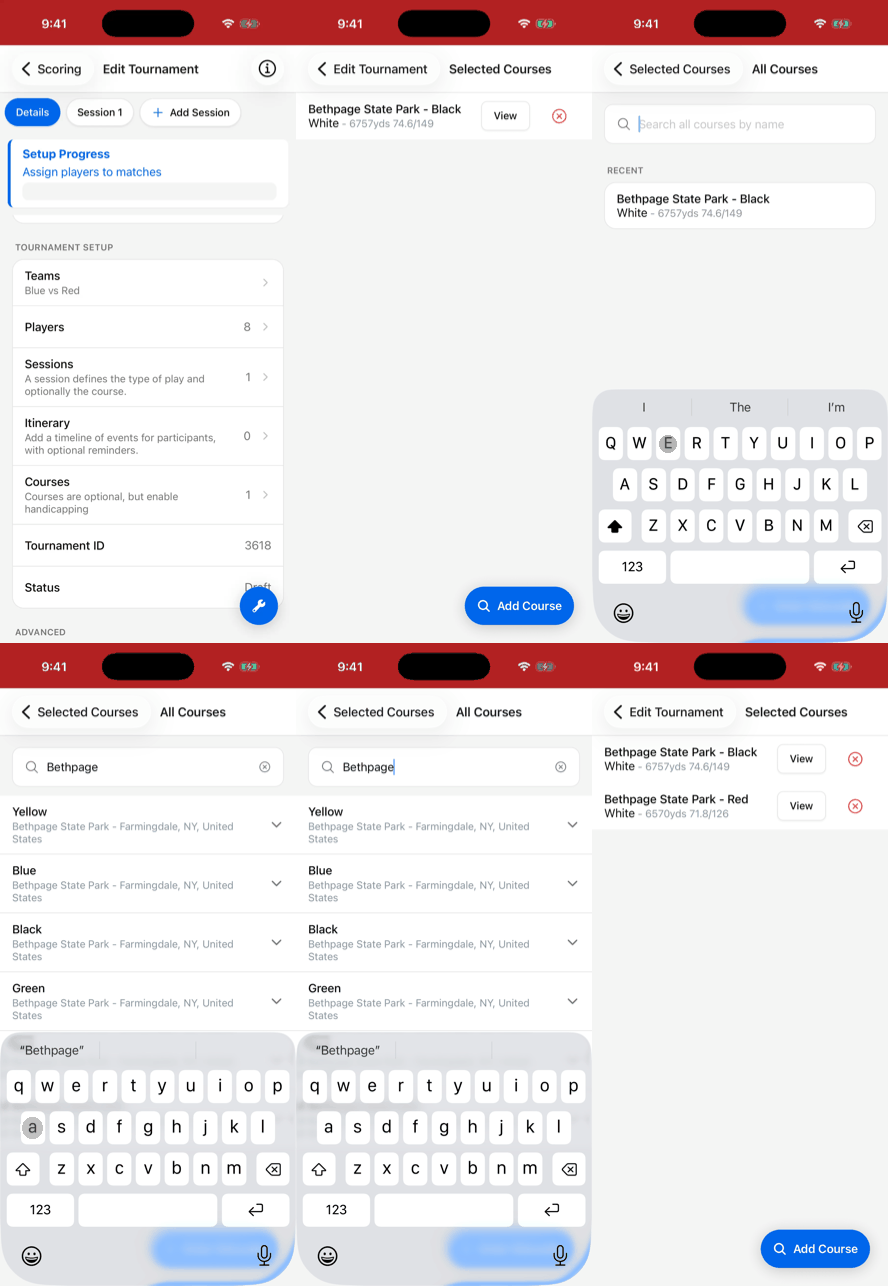
Search for a course
- On the Edit Tournament screen, tap Courses.
- Tap the Add Course button (
). - Enter the name of the course in the search box.
- Tap the course, then tap the tees.
Two Up adds the course to the Selected Courses list of the tournament.
tip
Courses that you used before show in the Recent list. Tap a course in the list to add it again.
Add a course to a session
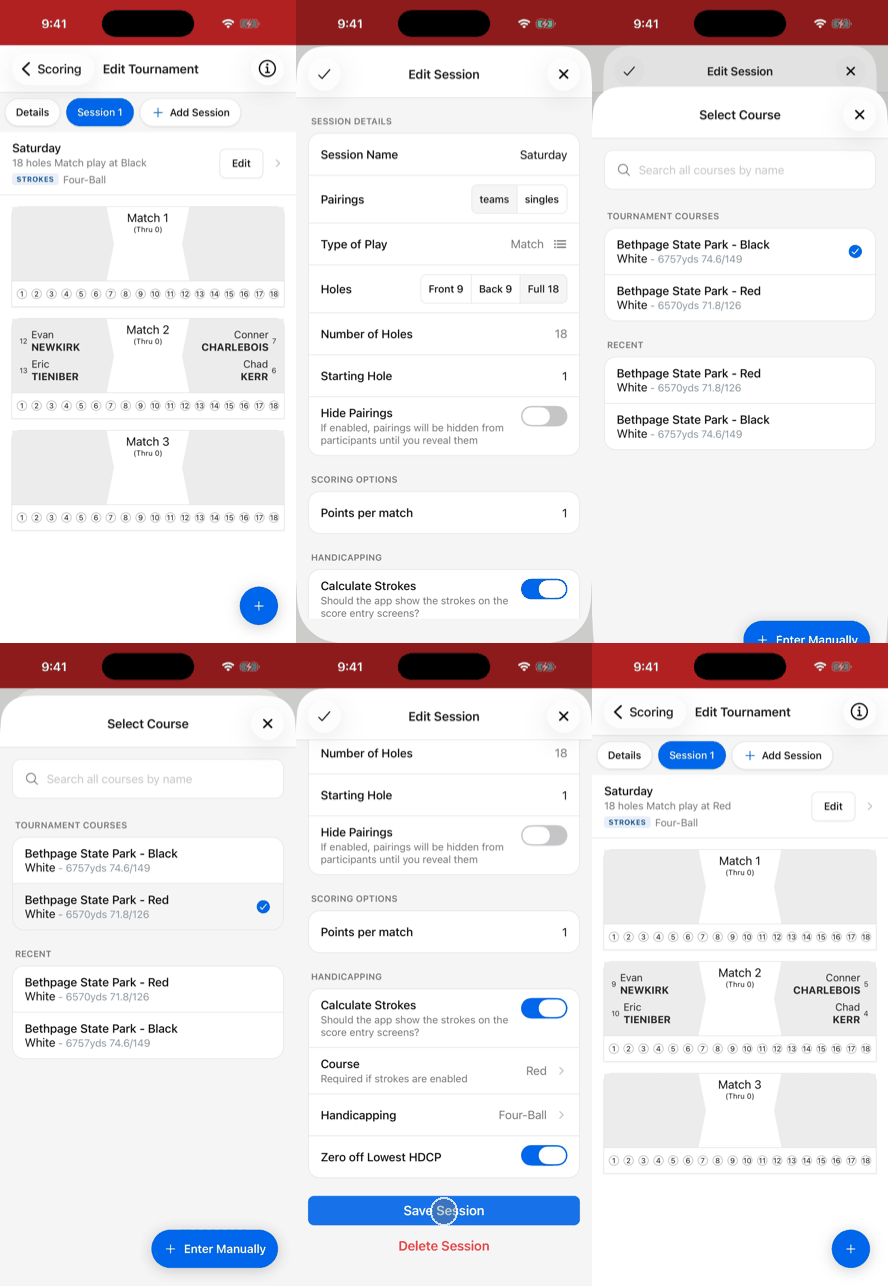
- On the Edit Tournament screen, open the session tab, for example Session 1.
- Tap Edit.
- In the Handicapping section, tap Course.
- Select the course from Tournament Courses, or search for a different course.
- Tap Save Session.
To calculate strokes, see Handicapping.