Chat and Announcements
Each tournament has a chat for all the players and hosts. As a host, you can also send announcements. Announcements are pinned to the top of the chat, so players can find important information quickly.
For how players use the chat, see Chat.
Send an announcement
- Open the Chat tab.
- Tap the announcement button (
) at the left of the message box. The bell becomes solid. - Write the message, for example "Tee times moved to 9:10".
- Tap Send.
The announcement shows at the top of the chat for all players. Each player gets a notification.
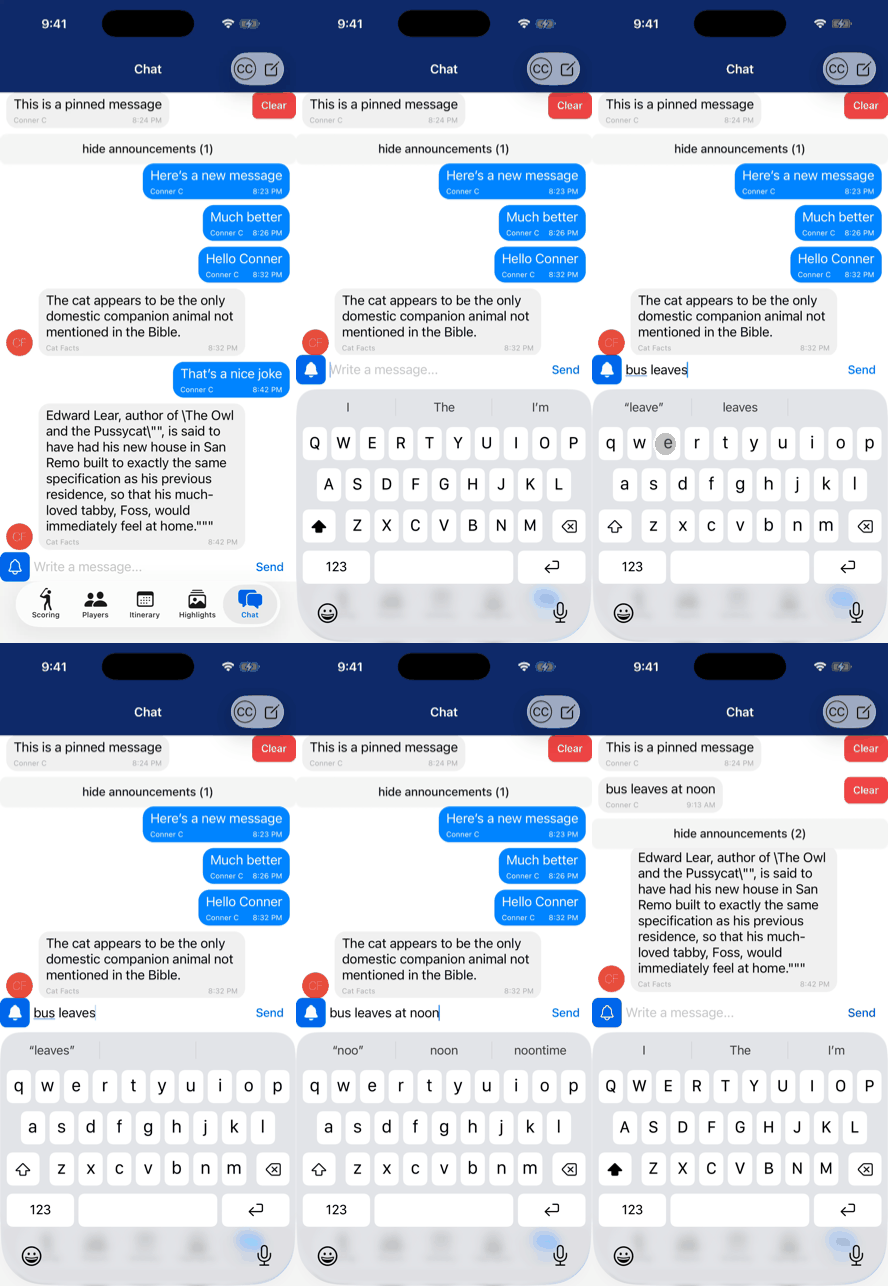
After you send the message, the announcement button goes back to normal. To send one more announcement, tap it again.
Only hosts see the announcement button.
Remove an announcement
- Open the Chat tab.
- Tap Clear next to the announcement.
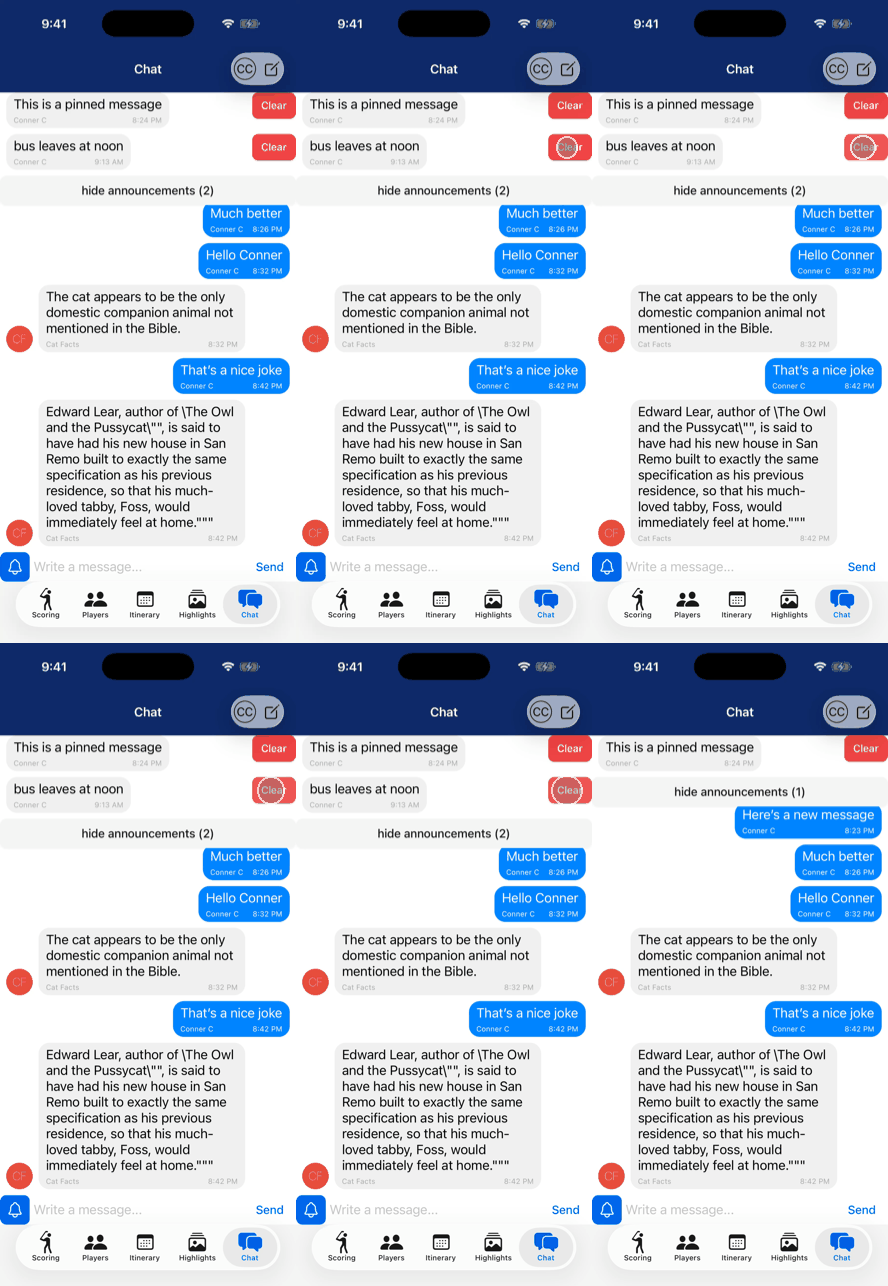
Hide the announcements
When there are announcements, a button below them shows the number, for example hide announcements (2). Tap it to hide or show the announcements. This changes only your screen.
Cat Facts
Cat Facts sends a fun fact about cats to the chat when a message contains a trigger word.
- On the Edit Tournament screen, scroll down to Advanced.
- Tap Cat Facts.
- Turn on Enabled.
- Add one or more trigger words in New Trigger, for example "cat".