Game Types
Each session has one type of play. You select it in Type of Play when you add a session. This guide tells you how each type of play gives points to the team total.
You can also change the game type of an individual match within a session if, for example, you want one match of stableford in an otherwise match play session
For the steps that players do on each hole, see Enter Scores.
Types of play
| Type of play | On each hole | The match winner |
|---|---|---|
| Match | The better net score wins the hole. | The team that wins more holes. The match ends when one team cannot catch up. |
| Stableford | Each team gets points for its net score. | The team with more points. |
| Fourball Stroke | Each team uses its best net score. | The team with the lower total, compared to par. |
| High-Low | The high scores and the low scores are compared. Each is one result. | The team that wins more points. |
| Point Per Hole | Each hole is worth 1 point. | The team with more points after the last hole. |
| Nassau | Same as Match. | 3 results: front 9, back 9, and overall. |
| High-Low Nassau | Same as High-Low. | 3 results: front 9, back 9, and overall. |
| Stableford Nassau | Same as Stableford. | 3 results: front 9, back 9, and overall. |
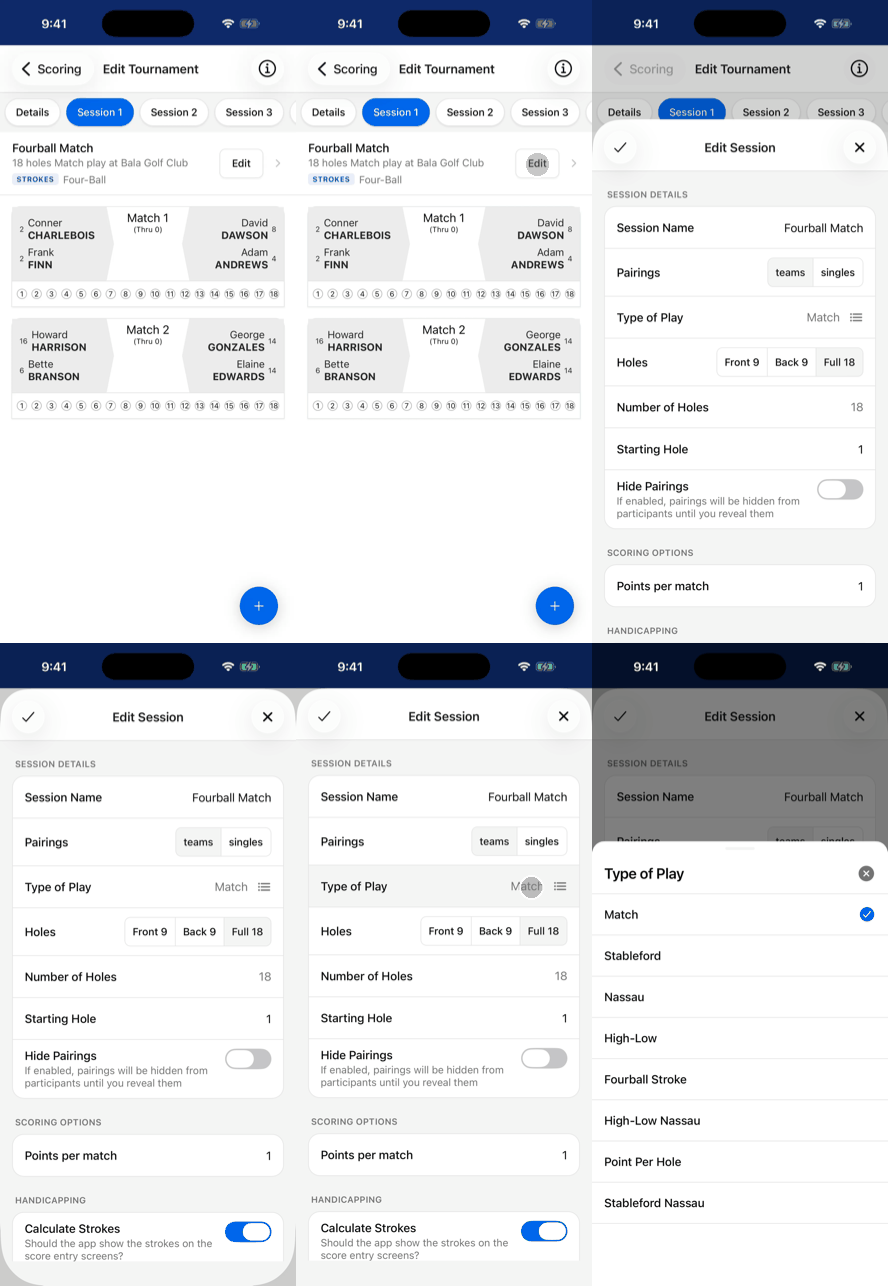
Rules for some types of play
- Fourball Stroke must have a course, because Two Up compares each score to par. When you select it, Two Up sets the Pairings to teams and the handicap allowance to Four-Ball. If your course is not found in our list of known courses, you'll need to add it manually.
- Nassau, High-Low Nassau, and Stableford Nassau must be 18 holes.
- Stableford and Stableford Nassau show Custom Stableford Points. Use it to change the points for each score. The default points are: eagle or better 5, birdie 3, par 1, bogey 0, double bogey or worse -1.
- High-Low and High-Low Nassau show High-Low Scoring: Traditional (1 point for each hole) or Modern (each result is 1 point, so 2 points for each hole). Modern scoring (in my opinion) is more fun because it allows for more dramatic swings and comebacks. Try it out!
How the team total works
The Scoring tab shows the team total for the tournament. Each match gives points to the team total:
- The team that wins the match gets the points of the match.
- If the match is halved, each team gets half of the points.
- A match adds points only when it is complete. Exception: Point Per Hole adds points after each hole.
The score bar also shows a projected score. The projected score is the result if each match that is in progress ended now.
To win the tournament, a team must get more than half of all the points. The Scoring tab shows the number of points that a team must get, for example 8½ to win.
If you set a Defending Team on the Edit Tournament screen, that team keeps the cup when the final score is a tie.
Points per match
Points per match sets how many points each match of the session gives to the team total. The default is 1.
- Open the session tab, then tap Edit.
- In Scoring Options, tap Points per match.
- Enter a whole number, for example 2.
- Tap Save Session.
Use this to make a session more important. For example, the singles matches on the last day may be worth 2 points each.
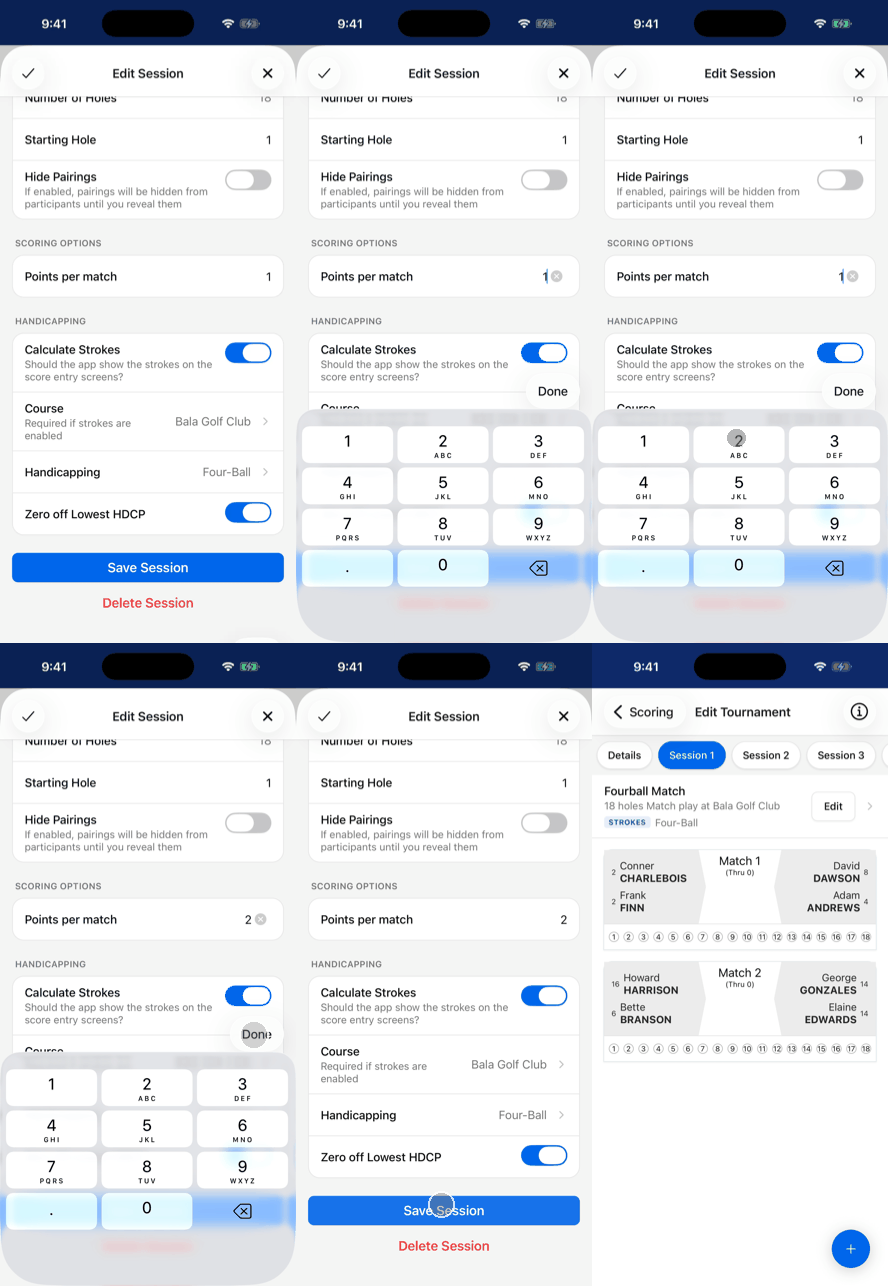
The value must be a whole number, 1 or more. Two Up does not accept 0 or ½.
Two types of play use Points per match in a different way:
- Nassau types, when Nassau points count towards team total is on. See Nassau scoring.
- Point Per Hole. The value is a bonus awarded at the end of the match. See Point Per Hole.
Nassau scoring
A Nassau match has 3 results: the front 9, the back 9, and the overall 18 holes. Two settings control how these results count.
- Open the session tab, then tap Edit.
- Find the Nassau settings below Scoring Options.
- Set Nassau points count towards team total.
- Set Nassau Scoring: 1-1-1 or 1-1-2.
- Tap Save Session.
the 1-1-1 and 1-1-2 Nassau scoring options only affect the scoring inside the Nassau match. If you want to change how many points a team gets for winning a nassau match, make sure to change the Nassau points count towards team total setting.
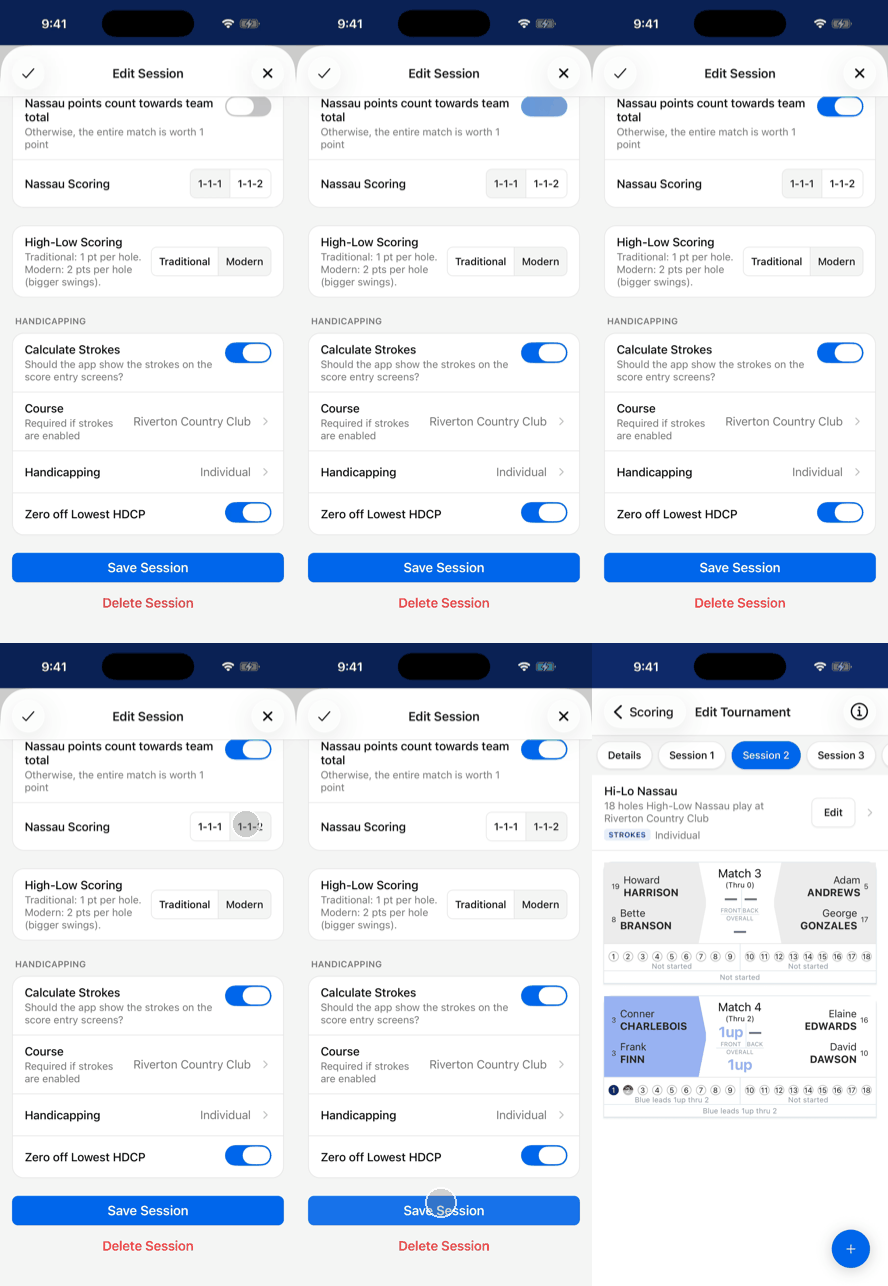
Nassau Scoring: 1-1-1 or 1-1-2
- 1-1-1: the front 9, the back 9, and the overall result are each worth 1 point.
- 1-1-2: the front 9 and the back 9 are each worth 1 point. The overall result is worth 2 points.
Nassau points count towards team total
- Off (default): the match is one result. The team with more Nassau points wins the match, and it gets the Points per match for the session.
- On: each of the 3 results adds to the team total. Each match is worth 3 points (1-1-1) or 4 points (1-1-2).
Example: Blue wins the front 9, Red wins the back 9, and Blue wins overall. With 1-1-2, Blue has 3 Nassau points and Red has 1.
- If the switch is off, Blue wins the match and gets 1 point (the default Points per match).
- If the switch is on, Blue gets 3 points and Red gets 1 point in the team total.
Point Per Hole
In Point Per Hole (PPH), each hole is worth 1 point. A halved hole gives ½ point to each team. The match does not end early. All the holes are played. This format is often used in member-guest events.
- Live points: PPH points go into the team total after each hole. With other types of play, the points go in only when the match is complete.
- Bonus: at the end of the match, the team with more points gets a bonus. Points per match sets the bonus. If the points are equal, each team gets half of the bonus.
Example: an 18-hole PPH match with Points per match at 1. Blue wins 8 holes, Red wins 6 holes, and they halve 4 holes. Blue has 10 points and Red has 8 points. Blue also gets the 1-point bonus. Blue adds 11 points and Red adds 8 points to the team total.
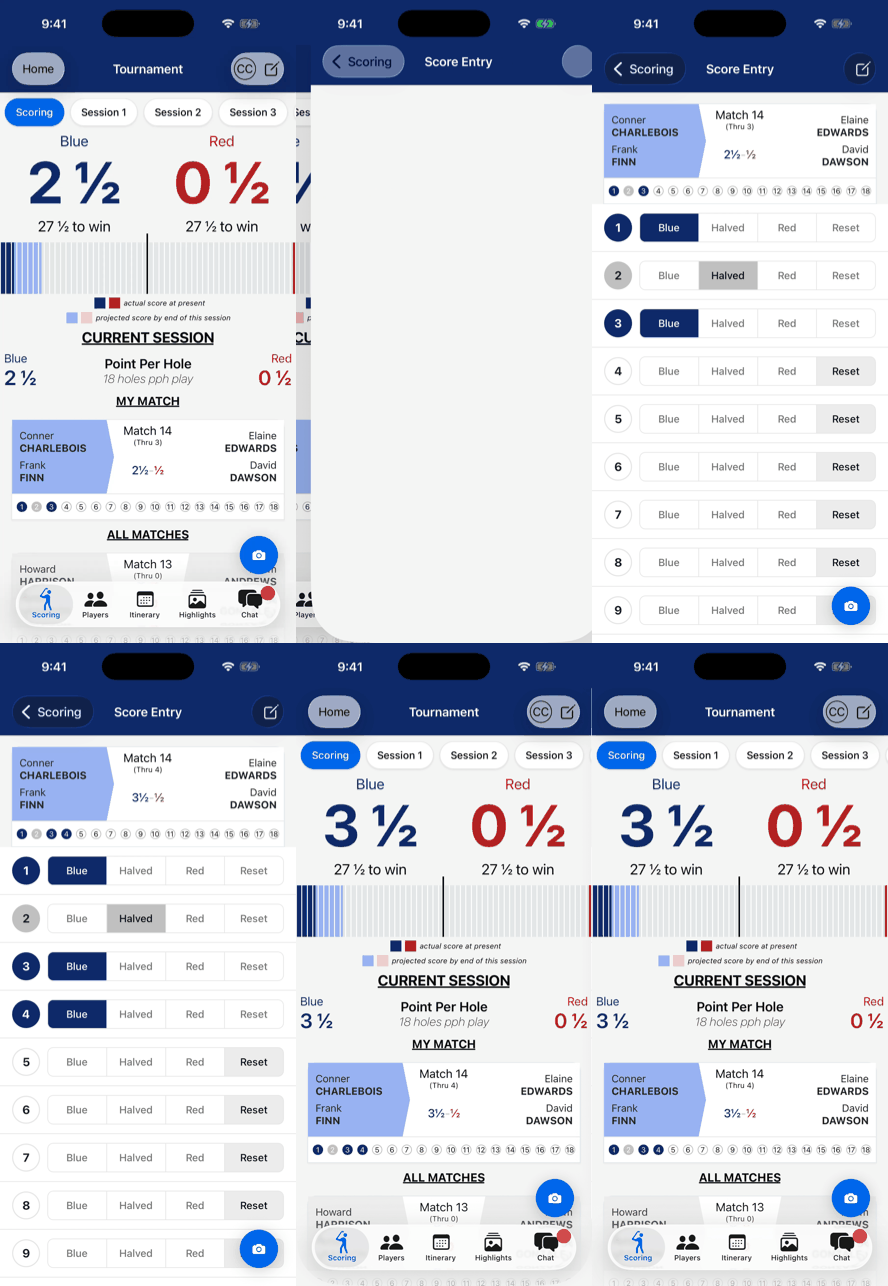
I don't generally recommmend this for most cup-style events because it bloats the point totals. i.e. one 9-hole PPH match is worth 9 points, which is as much as 9 standard matches. You can alawys change the points per match of the other matches to compensate or use PPH scoring for all the amatches in the torunament.