Lock Matches
Lock a match so that players cannot change its scores. Lock the completed matches at the end of each session.
A locked match shows the lock icon (
tip
As a host, you can always change the scores of a match, also when it is locked.
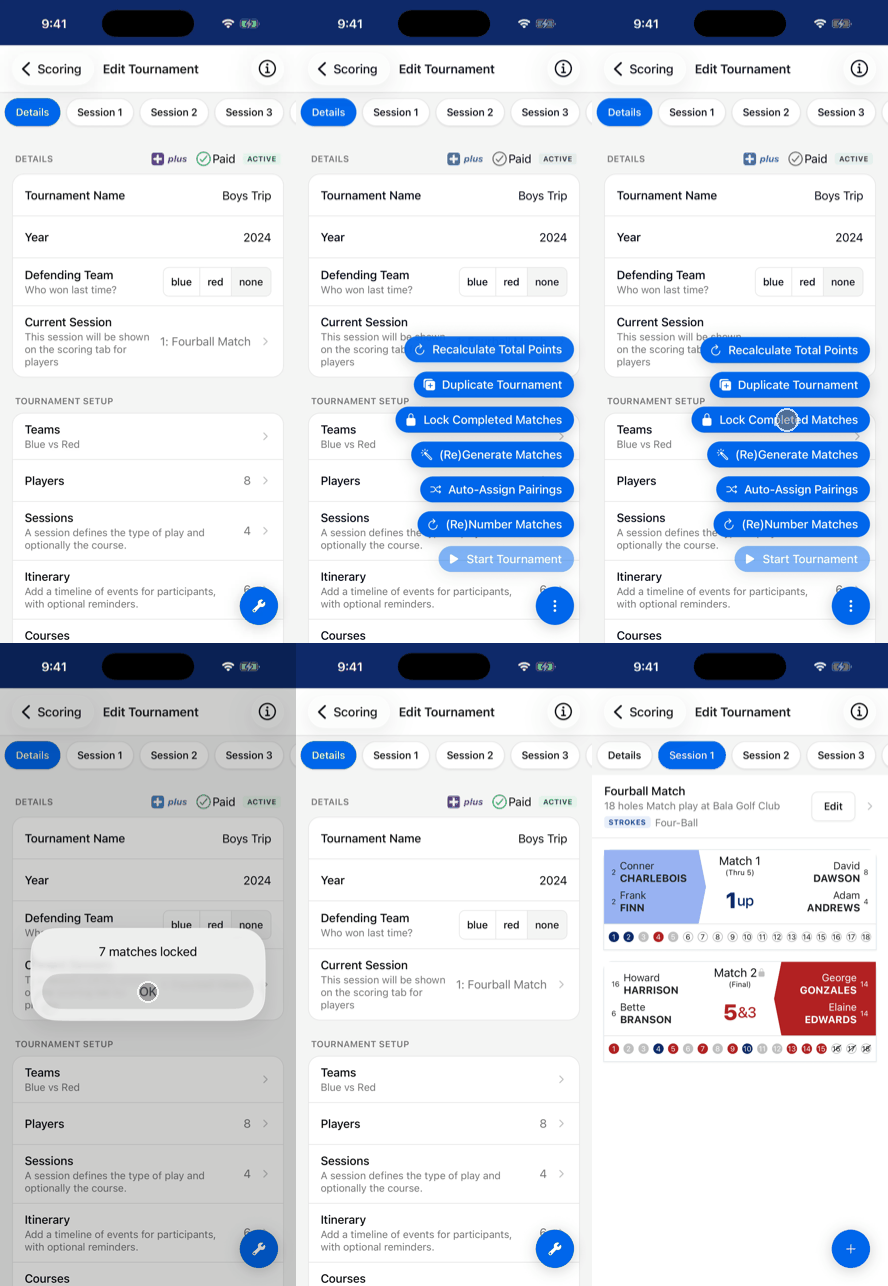
Lock all completed matches
- On the Edit Tournament screen, tap the wrench button (
). - Tap Lock Completed Matches (
). - Two Up shows how many matches it locked. Tap OK.
Two Up locks only the matches that are complete. Matches that are not complete stay unlocked.
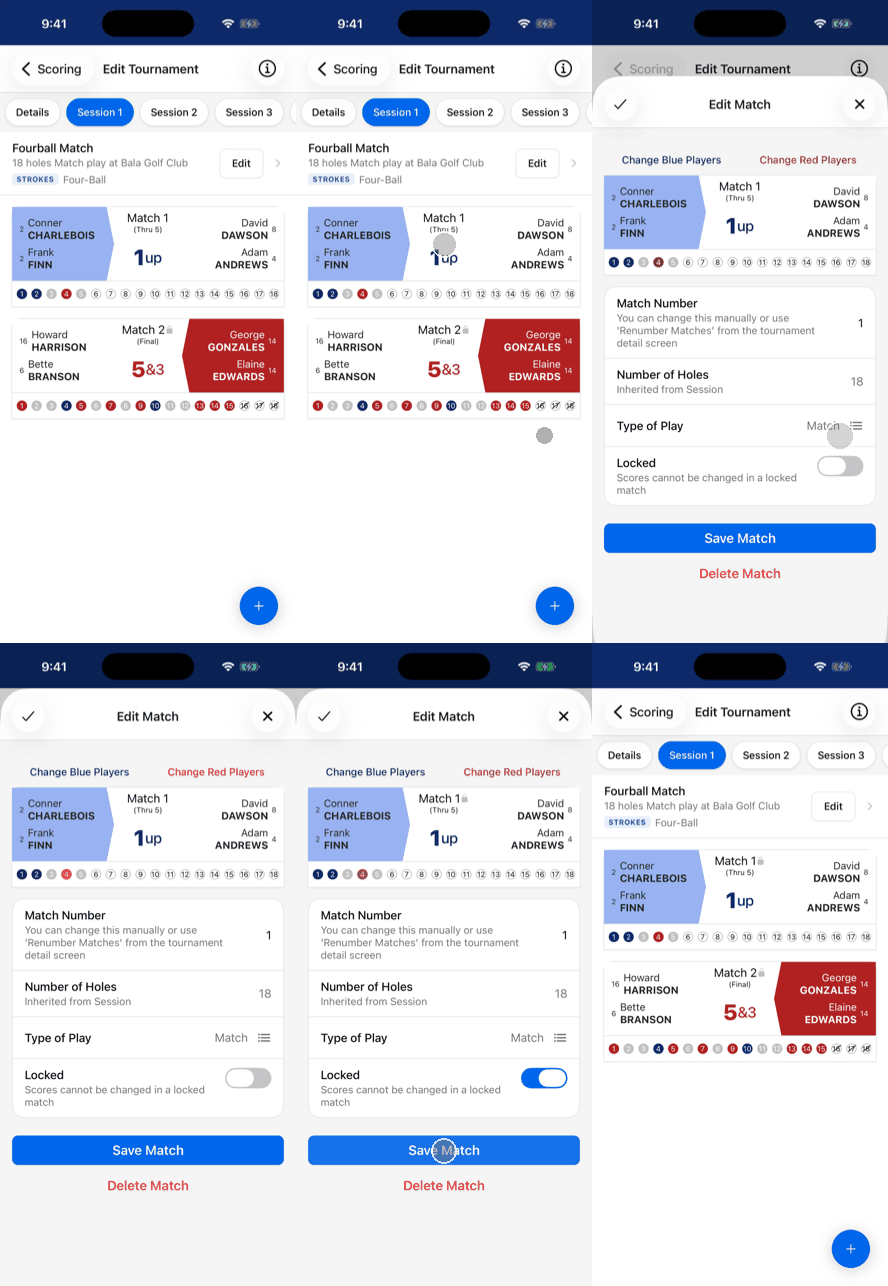
Lock one match
- On the Edit Tournament screen, open the session tab, then tap the match.
- Turn on Locked.
- Tap Save Match.
To unlock the match, turn off Locked, then tap Save Match.