Share the Scoreboard
Friends and family can follow the live scores on the web. They do not need the app, and they do not join the tournament. They only need the link and a 4-digit share code.
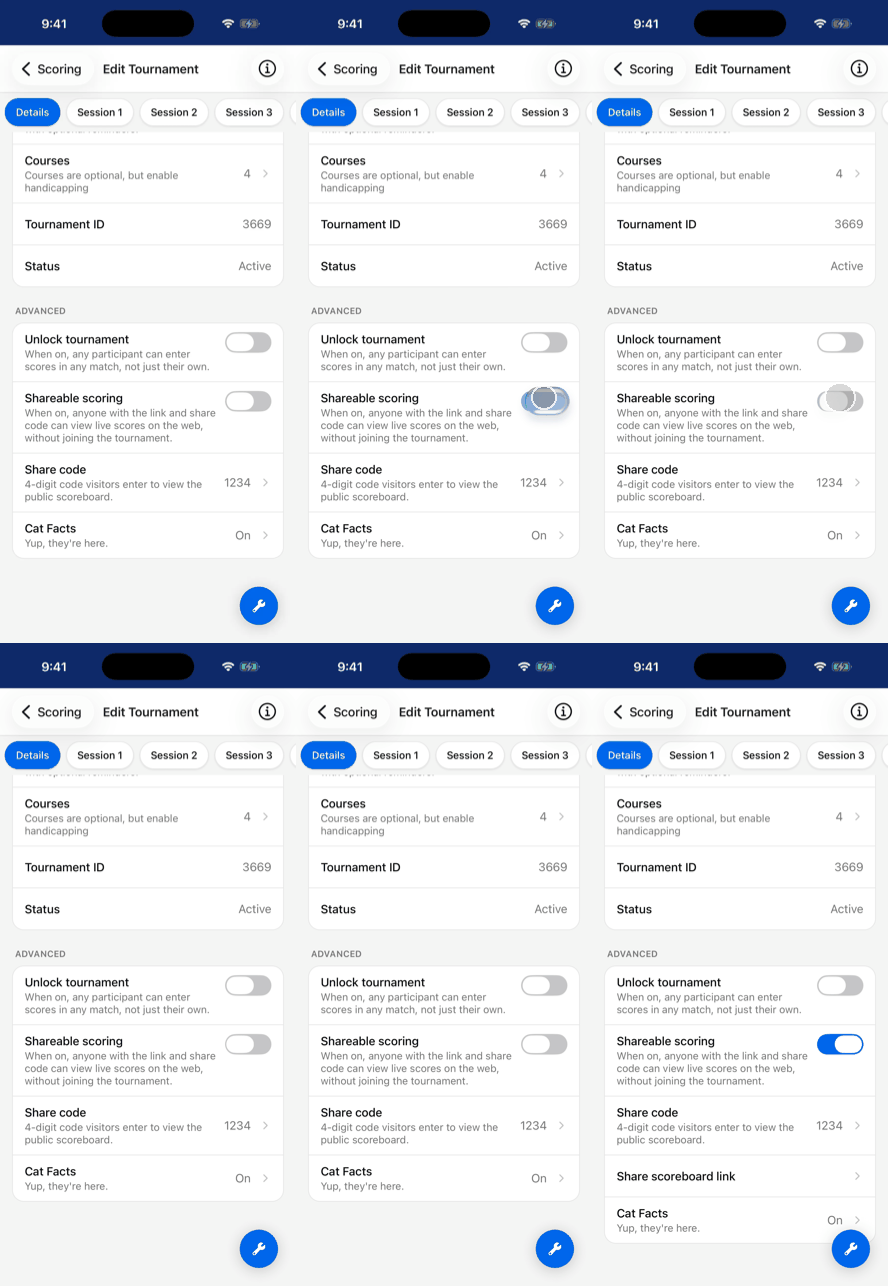
Turn on shareable scoring
- On the Edit Tournament screen, scroll down to Advanced.
- Tap Share code. Enter 4 numbers, for example 1234, then save.
- Turn on Shareable scoring.
If you turn on Shareable scoring before you set a share code, Two Up shows Set a share code. Set the code first.
Send the link
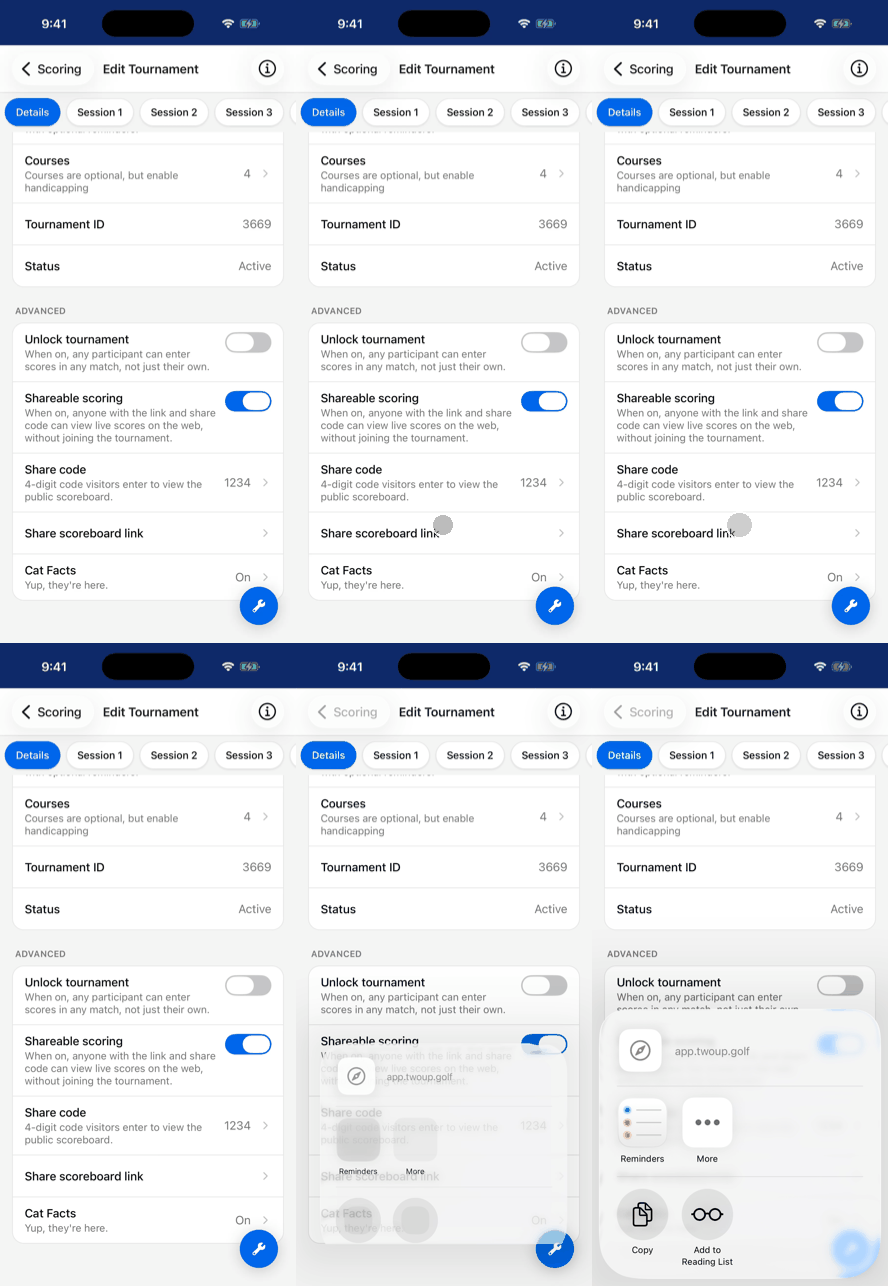
- In Advanced, tap Share scoreboard link.
- Select an app, for example Messages or WhatsApp.
The message includes the link and the share code. The link has the form app.twoup.golf/scoreboard/....
What visitors see
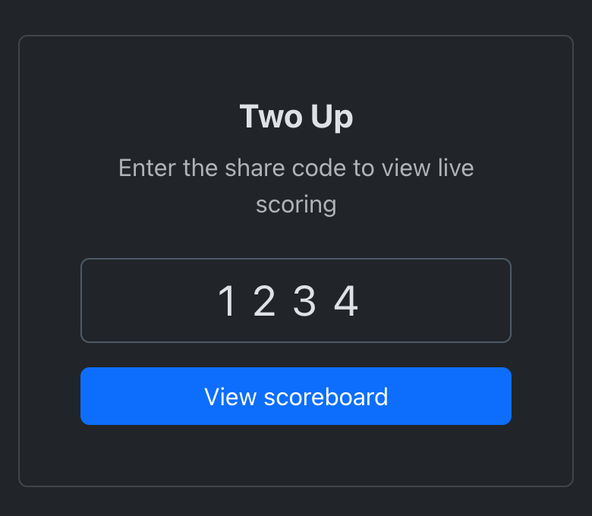
- The visitor opens the link and enters the share code.
- The visitor taps View scoreboard.
The scoreboard shows:
- The score bar with the team total.
- The matches of the current session, with live scores.
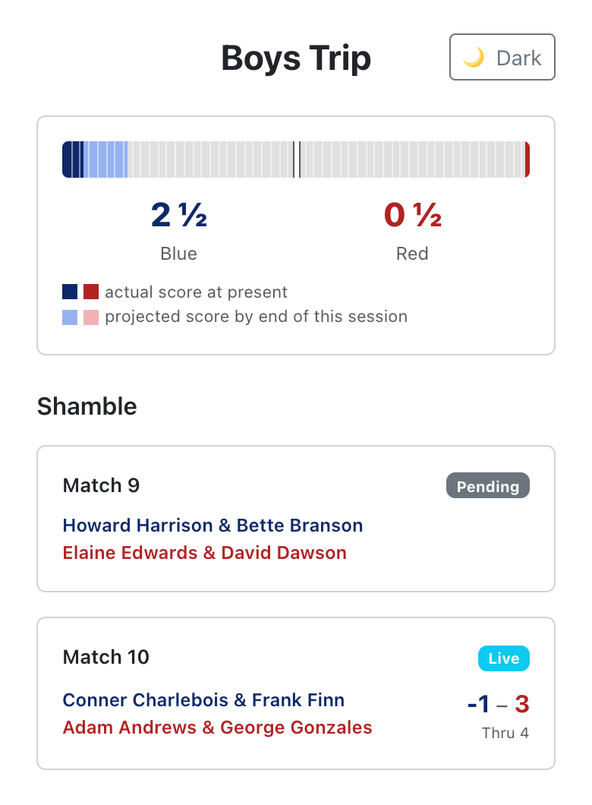
The scoreboard does not show other sessions. To show a different session, change the current session.
If the tournament is not Active, the scoreboard shows This tournament isn't active right now. If there is no current session, it shows No session is currently in progress.
Stop sharing
Turn off Shareable scoring. Visitors who have the scoreboard open lose access at once, and new visitors cannot open it.
To remove access from everyone who has the current code, change the Share code. Then send the new code only to the people who should see the scores.
Visitors see only the scores. They cannot see the chat, player profiles, or highlights.