Add Sessions
A session is one round of the tournament. Each session has a type of play (for example, Match or Stableford) and, if you want, a course.
Add a session
- On the Edit Tournament screen, tap Add Session (
) at the top. - Enter the Session Name. For example, "Saturday".
- Select the Pairings: teams or singles.
- Tap Type of Play, then select the format.
- Select the Holes: Front 9, Back 9, or Full 18.
- Tap Save Session.
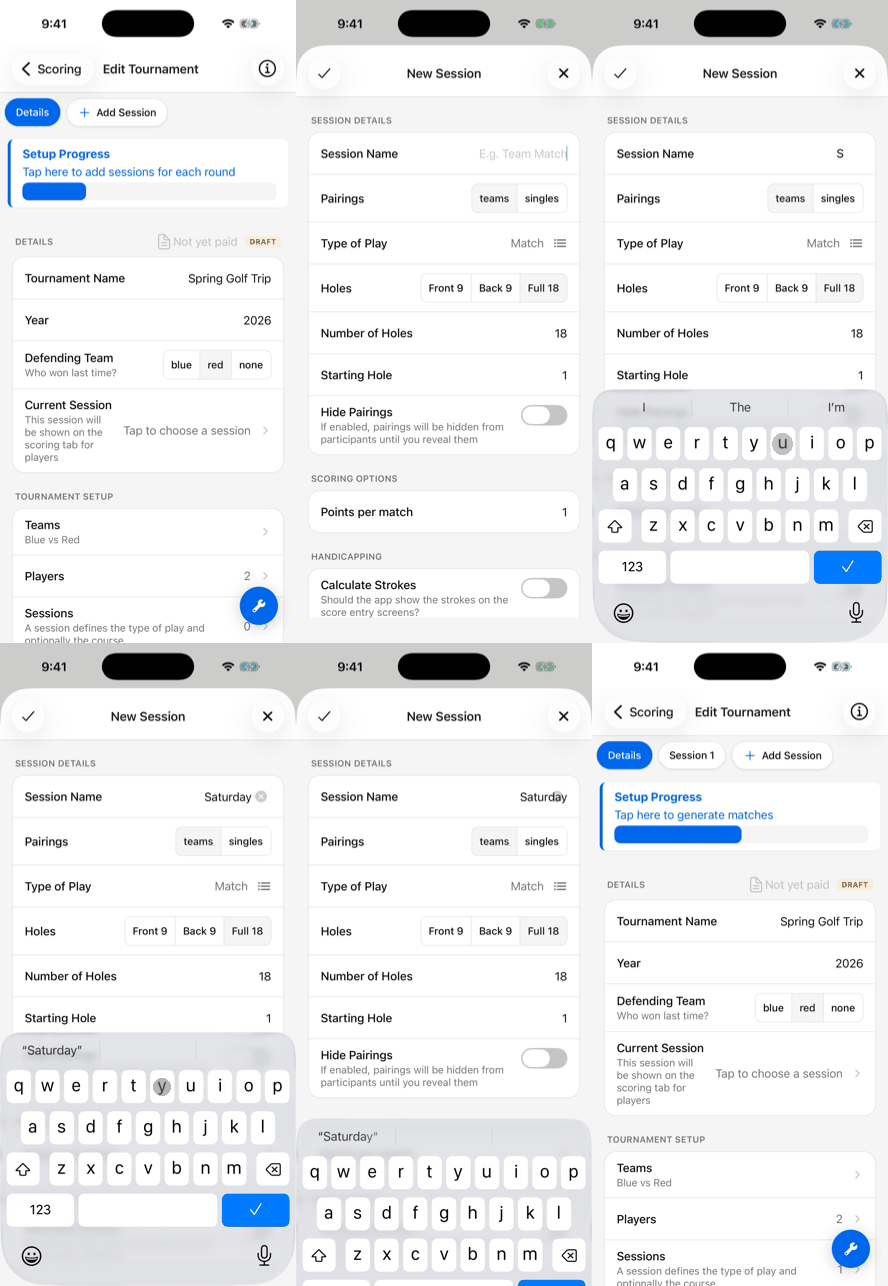
Each session gets its own tab at the top of the Edit Tournament screen, for example Session 1. To change a session, open its tab and tap Edit.
Change the current session
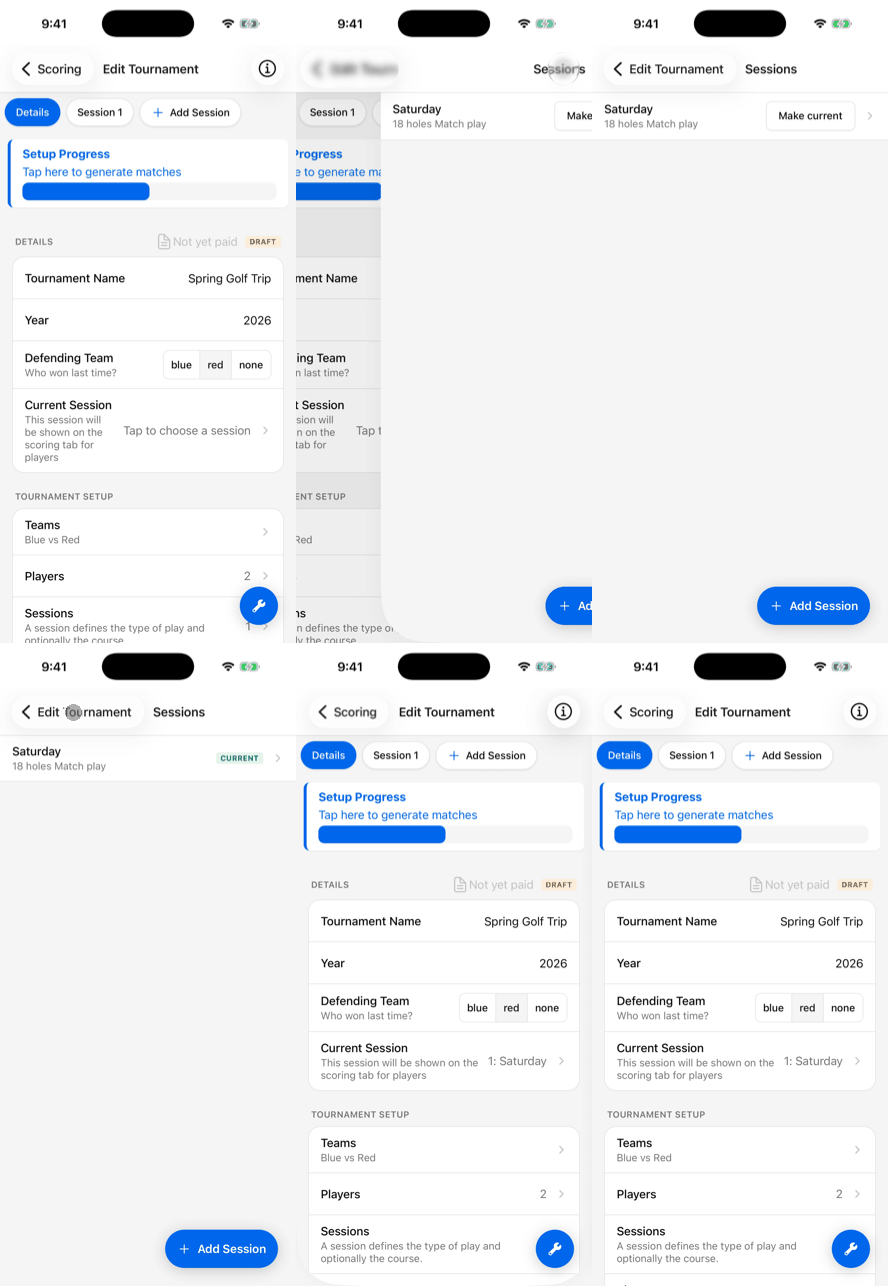
The current session shows on the scoring tab for all players. Each player's match in that session shows at the top of the list, making it easier for them to enter scores quickly.
- On the Edit Tournament screen, tap Current Session.
- Tap Make current next to the session.
The session shows a Current label. The scoring tab changes immediately.
Handicapping
When you calculate strokes, Two Up shows the strokes as dots (
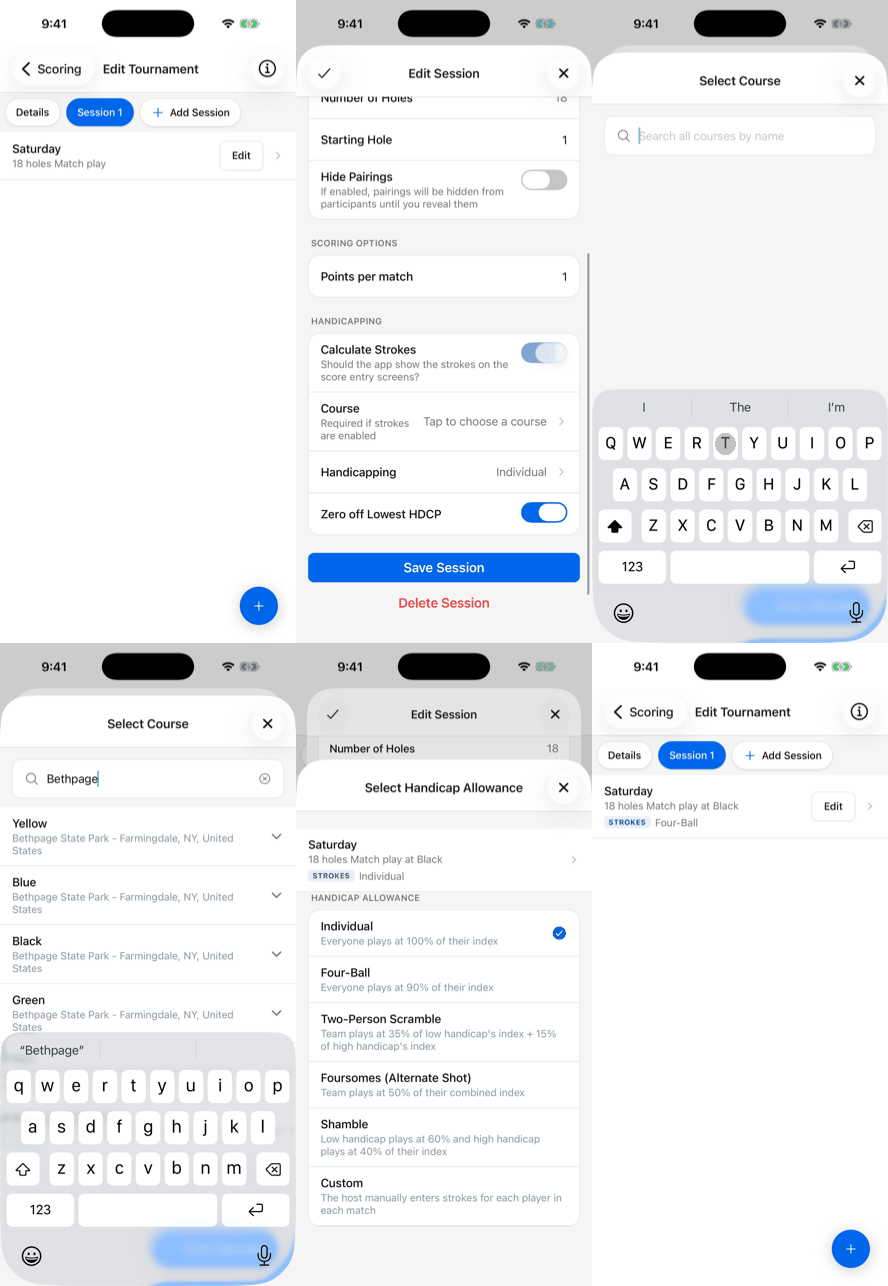
- Open the session tab, then tap Edit.
- In the Handicapping section, turn on Calculate Strokes.
- Tap Course. Search for the course, tap it, then select the tees.
- Tap Handicapping, then select the handicap allowance. For example, Four-Ball (90% of each player's index).
- Keep Zero off Lowest HDCP on (default) if the player with the lowest Course Handicap in each match must play at 0. Then the other players in the match get the difference. Turn it off to give each player their full strokes.
- Tap Save Session. Two Up calculates the strokes for each match in the session.
If you change a match after Two Up calculates the strokes, save the session again. Then Two Up updates the strokes for each match.