Setup Player Profile
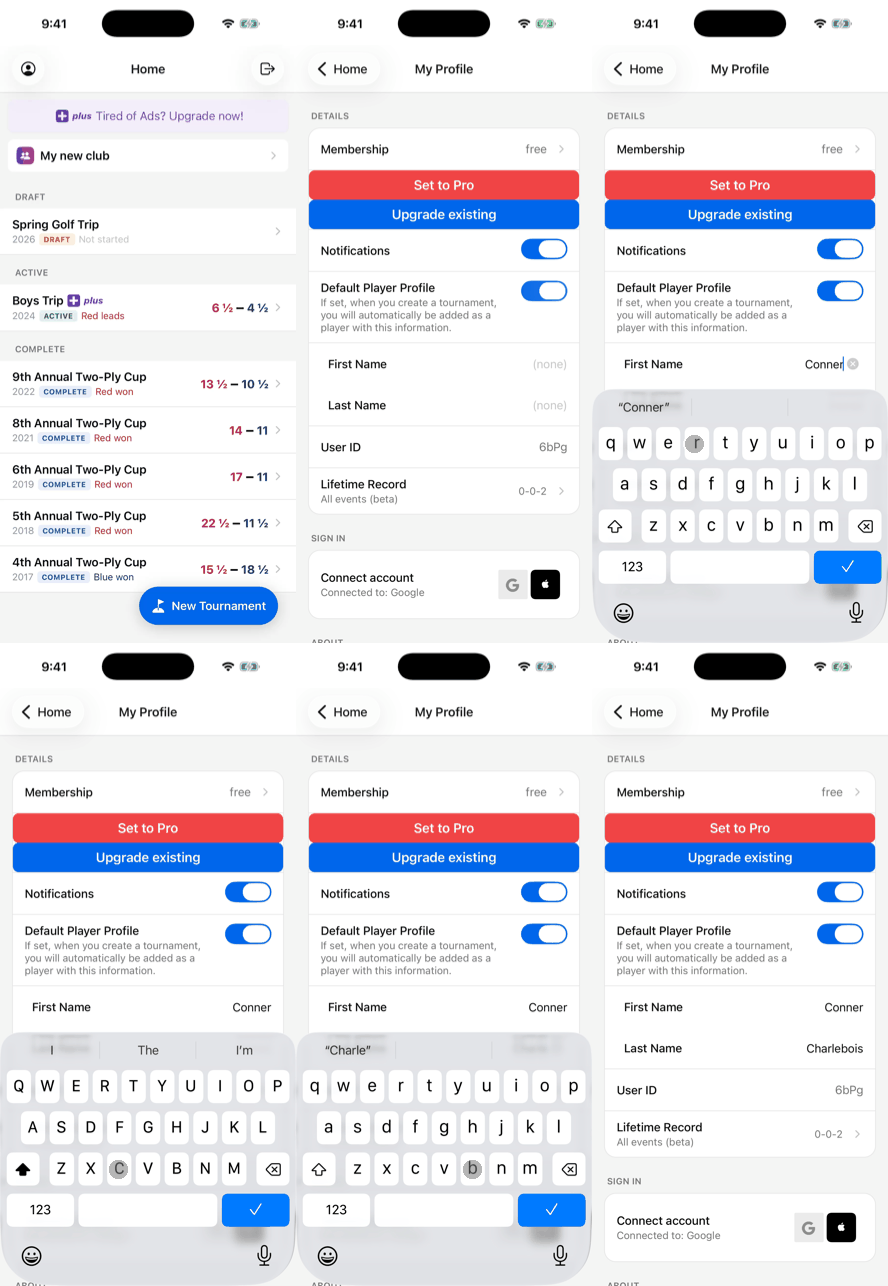
Set up a default player profile. Then, each time you create a tournament, Two Up adds you as a player automatically.
- On the home screen, tap the profile button (
) in the top left. - Turn on Default Player Profile.
- Enter your First Name and your Last Name.
Two Up saves your profile immediately.
tip
Two Up adds you only to tournaments that you create after you set up the profile. To add yourself to a tournament that you already created, add a player with your name, and then accept an invite as that player.
note
Two Up keeps the profile on your phone only. If you use a different phone, set up the profile again.